

 Watch
Watch
 CASUAL WEAR
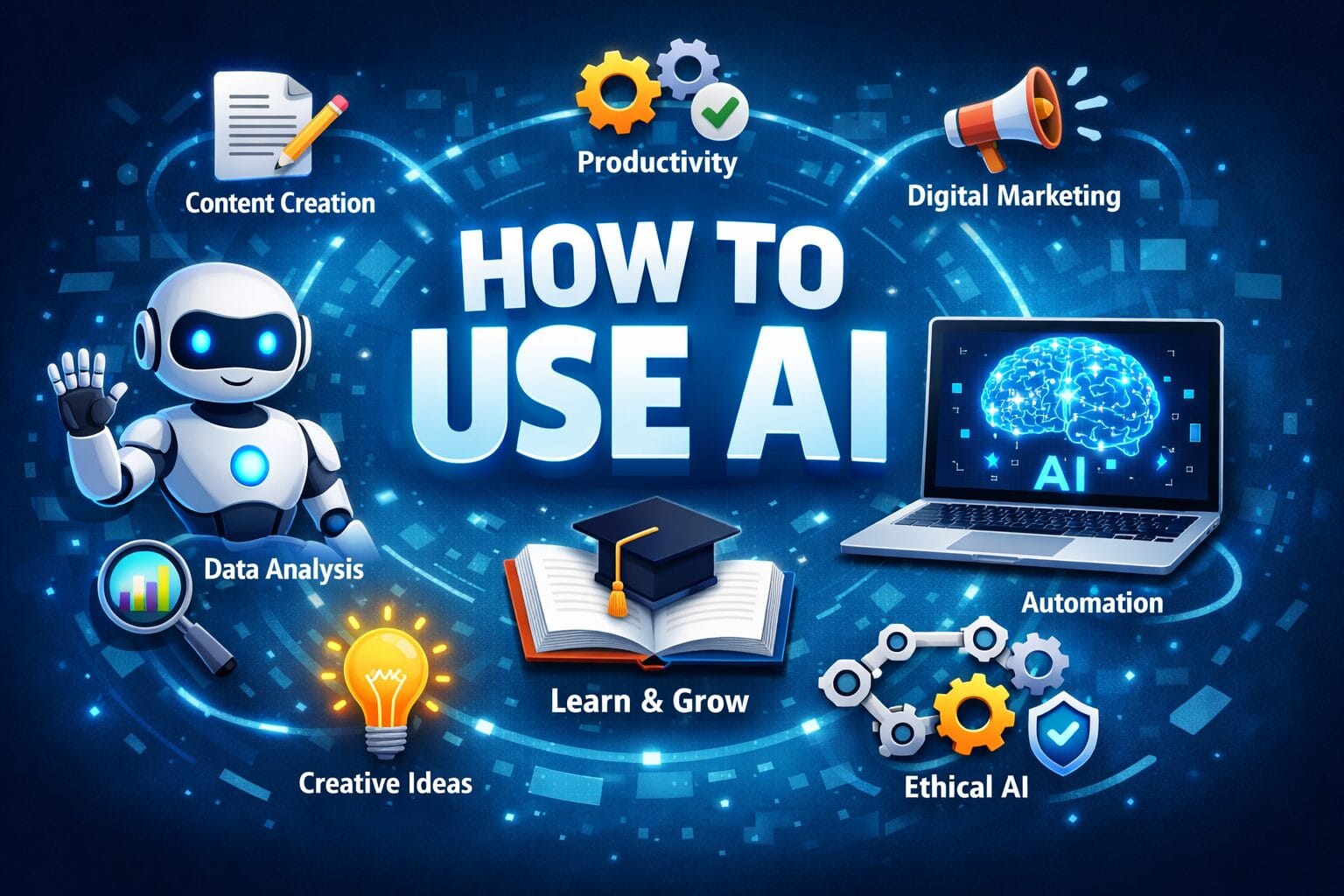
How to Use AI: Learn how to use Artificial Intelligence (AI) step by step in 2026. This complete guide explains AI tools, real-life use cases, benefits, risks, and how businesses, creators, and professionals can grow faster using AI.
Introduction: Why Learning How to Use AI Is No Longer Optional
Artificial Intelligence (AI) has moved far beyond science fiction. Today, AI is actively shaping how we work, learn, communicate, market, sell, design, and make decisions. From small businesses and content creators to large enterprises and governments, AI has become a powerful growth engine.
If you understand how to use AI correctly, you gain a competitive advantage. If you ignore it, you risk falling behind.
This in-depth guide will help you:
- Understand AI in simple terms
- Learn practical ways to use AI in daily life and business
- Discover the best AI tools for productivity, marketing, development, and creativity
- Avoid common AI mistakes
- Prepare for the future of AI responsibly
Let us begin with clarity and confidence.
What Is Artificial Intelligence (AI)? – Simple Explanation
Artificial Intelligence (AI) is a technology that enables machines and software to think, learn, and make decisions like humans. Instead of being programmed for only one fixed task, AI systems can analyze data, recognize patterns, learn from experience, and improve their performance over time.
In simple words, AI makes machines “smart.”

Understanding AI in Everyday Language
Artificial Intelligence works by:
- Observing data
- Learning from examples
- Making predictions or decisions
- Improving automatically with time
For example, when you search something on Google and it suggests the next words, or when YouTube recommends videos you like—that is AI working silently in the background.
Real-Life Examples of AI You Already Use
You may be using AI every day without realizing it:
- Smartphones: Face unlock, voice typing
- Social Media: Content recommendations on Instagram, Facebook, YouTube
- Search Engines: Google search results and ads
- Voice Assistants: Alexa, Siri, Google Assistant
- Online Shopping: Product recommendations on Amazon
- Maps & Navigation: Traffic prediction and fastest routes
AI helps make these services faster, smarter, and more personalized.
How Does Artificial Intelligence Work? (Simplified)
AI works using three main steps:
- Data Collection – AI gathers large amounts of information
- Learning – It studies patterns using algorithms
- Decision Making – It predicts or responds based on learned data
The more data AI receives, the better and more accurate it becomes.
Main Types of Artificial Intelligence
1. Narrow AI (Weak AI)
Designed to perform a single task
Examples:
- Chatbots
- Recommendation systems
- Image recognition
This is the most common type of AI used today.
2. General AI (Strong AI)
Designed to think and learn like humans
- Can perform multiple tasks
- Still under research
- Not fully developed yet
3. Super AI (Future Concept)
- Smarter than human intelligence
- Can make independent decisions
- Still theoretical
Key Technologies Behind AI
- Machine Learning (ML): AI learns from data
- Deep Learning: Uses neural networks similar to the human brain
- Natural Language Processing (NLP): Understands human language
- Computer Vision: Enables machines to see and recognize images
Why Artificial Intelligence Is Important Today
AI is important because it:
- Saves time and effort
- Improves accuracy
- Automates repetitive tasks
- Helps businesses grow faster
- Enhances creativity and productivity
From healthcare and education to marketing and real estate, AI is transforming every industry.
Is AI a Threat or an Opportunity?
AI is not a threat when used responsibly. It does not replace humans—it supports humans by handling routine tasks so people can focus on creativity, strategy, and decision-making.
Those who learn AI gain a strong advantage in the modern digital world.

Why AI Is Important in 2026 and Beyond
AI is not replacing humans; it is amplifying human capability. Here is why AI matters today:
Key Benefits of Using AI
- Saves time and reduces manual work
- Improves accuracy and decision-making
- Automates repetitive tasks
- Increases productivity and revenue
- Enables data-driven strategies
- Enhances creativity and innovation
Businesses that adopt AI early grow faster, scale smarter, and operate more efficiently.
How to Use AI: Step-by-Step Beginner Guide
Learn how to use Artificial Intelligence (AI) step by step for beginners. This complete guide explains AI tools, practical use cases, and simple methods to start using AI confidently in daily life and business.
Introduction: AI Made Simple for Beginners
Artificial Intelligence (AI) is no longer limited to experts or large companies. Today, anyone can use AI to work faster, think smarter, and grow digitally. Whether you are a student, business owner, content creator, or professional, learning how to use AI step by step gives you a clear advantage in the modern world.
This beginner-friendly guide explains AI in practical terms—no technical background required.
Step 1: Understand What AI Can Do (Without Fear)
AI helps machines:
- Learn from data
- Understand language and images
- Make predictions
- Automate repetitive tasks
AI does not replace human intelligence. Instead, it supports human decision-making.
Step 2: Define Your Purpose Before Using AI
Start with clarity. Ask yourself:
- Do I want to create content?
- Do I want to grow my business?
- Do I want to save time on daily tasks?
- Do I want help with marketing, coding, or design?
A clear goal helps you choose the right AI tool and avoid confusion.
Step 3: Choose the Right AI Tools for Beginners
Below are beginner-friendly AI tool categories:
1. AI Writing & Content Tools
Use AI to:
- Write blog posts
- Create social media captions
- Draft emails and proposals
- Generate SEO content
These tools are ideal for bloggers, marketers, and business owners.
2. AI Image & Design Tools
Use AI to:
- Create posters and banners
- Design thumbnails
- Generate social media graphics
- Build brand visuals
No graphic design skills needed.
3. AI Video & Audio Tools
Use AI to:
- Write video scripts
- Create voiceovers
- Generate subtitles
- Edit videos faster
Perfect for YouTube creators and digital marketers.
4. AI Tools for Business & Automation
Use AI to:
- Automate customer support
- Analyze sales data
- Manage leads
- Improve decision-making
AI saves cost and increases efficiency.
5. AI Tools for Coding & Websites
Use AI to:
- Generate website code
- Fix errors
- Build apps faster
- Create landing pages
Even beginners can create functional websites using AI assistance.
Step 4: Learn How to Talk to AI (Prompt Writing Basics)
AI works based on instructions called prompts.
Simple Prompt Formula:
Task + Context + Output Format
Example:
“Write an SEO-friendly blog post about AI for beginners in simple language with headings.”
Tips for Better Results
- Be clear and specific
- Use simple language
- Ask for step-by-step output
- Request revisions if needed
Better prompts = better results.
Step 5: Start With Small Tasks
Do not try everything at once.
Beginner AI Tasks
- Rewrite an email
- Generate content ideas
- Create a short social media post
- Summarize long text
- Translate content
Small wins build confidence.
Step 6: Always Edit and Improve AI Output
AI provides a draft—not a final product.
Human Touch Is Essential
- Add personal experience
- Verify facts
- Improve tone and clarity
- Optimize for your audience
Google and users value authentic, helpful content.

Step 7: Use AI Daily to Build Skill
Consistency matters more than complexity.
Daily AI Practice Ideas
- 15 minutes of AI experimentation
- Improve one task per day
- Save best prompts
- Track time saved
AI skill improves through regular use.
Step 8: Use AI Ethically and Safely
Responsible AI use builds trust.
Best Practices
- Avoid plagiarism
- Do not share sensitive data
- Use AI as support, not deception
- Follow platform guidelines
Ethical use ensures long-term success.
Step 9: Apply AI in Real-Life Scenarios
For Students
- Study notes
- Concept explanations
- Assignment drafts
For Business Owners
- Marketing content
- Customer replies
- Sales analysis
For Content Creators
- Scripts
- SEO blogs
- Viral ideas
AI adapts to every profession.
Step 10: Prepare for the Future With AI
AI will continue to evolve rapidly.
Future-Ready Skills
- Prompt engineering
- AI + human collaboration
- Critical thinking
- Creativity
Those who learn AI today will lead tomorrow.
Common Beginner Mistakes to Avoid
- Depending 100% on AI
- Copy-pasting without editing
- Ignoring SEO intent
- Using AI without goals
Step 2: Choose the Right AI Tools
Different AI tools serve different needs. Below are popular categories:
1. AI for Writing & Content Creation
- Blog articles
- Social media posts
- Website content
- Scripts and emails
Use AI to generate drafts, ideas, headlines, and SEO-optimized content faster.
2. AI for Digital Marketing & SEO
- Keyword research
- Meta titles and descriptions
- Google Ads copy
- Social media captions
- Email campaigns
AI helps analyze trends and optimize campaigns for higher conversions.
3. AI for Images, Videos & Design
- Logo design
- Social media creatives
- Thumbnails
- Video scripts and subtitles
Design becomes faster and more affordable with AI assistance.
4. AI for Website & App Development
- Code generation
- Bug fixing
- UI/UX suggestions
- API integration
Even non-developers can build functional websites and apps using AI tools.
5. AI for Business & Automation
- CRM automation
- Chatbots for customer support
- Invoice and data processing
- Sales forecasting
AI reduces operational cost and improves customer experience.
How to Use AI in Daily Life
AI is not limited to businesses. It can improve personal productivity too.
Personal Uses of AI
- Learning new skills faster
- Language translation
- Resume and cover letter writing
- Financial planning
- Travel planning
- Health and fitness tracking
Used wisely, AI becomes your digital assistant.
How to Use AI for Content Creators and Bloggers
AI is a game-changer for creators.
AI for Blogging
- Topic research
- SEO-friendly outlines
- Long-form article drafts
- Content repurposing
AI for YouTube & Social Media
- Video ideas
- Scripts and hooks
- Titles, descriptions, hashtags
- Thumbnail text
Important note: Always add human experience, originality, and authenticity to AI-generated content for better Google ranking.
How Businesses Can Use AI to Scale Faster
AI in Small & Medium Businesses
- Lead generation
- WhatsApp and website chatbots
- Sales follow-ups
- Inventory prediction
AI in Real Estate, E-commerce & Services
- Property listing descriptions
- Product recommendations
- Price optimization
- Customer behavior analysis
Businesses that combine AI with human strategy grow sustainably.
How to Use AI Ethically and Responsibly
AI is powerful, but responsibility matters.
Best Practices
- Do not blindly copy AI output
- Verify facts and data
- Avoid plagiarism
- Protect customer data
- Maintain transparency
Google rewards helpful, original, and trustworthy content, not AI spam.
Common Mistakes to Avoid When Using AI
- Over-dependence on AI
- Publishing without editing
- Ignoring SEO intent
- Using outdated prompts
- Expecting AI to think like a human
AI is a tool, not a replacement for judgment.
Future of AI: What to Expect
The future of AI includes:
- Smarter automation
- AI-powered search engines
- Personalized user experiences
- Voice-first interactions
- AI + Human collaboration
Those who learn AI today will lead tomorrow.
How to Start Using AI Today (Action Plan)
- Choose one AI tool
- Define one clear task
- Experiment daily
- Learn prompt writing
- Combine AI output with human insight
Consistency is the real key.
Final Thoughts: AI Is a Skill, Not a Threat
Learning how to use AI effectively is one of the most valuable skills of this decade. Whether you are a student, entrepreneur, developer, content creator, or business owner, AI empowers you to do more with less effort.
The future belongs to those who adapt, learn, and innovate.
Start today. Learn continuously. Use AI wisely.
Success will follow.

Pros and Cons of Artificial Intelligence (AI)
Explore the pros and cons of Artificial Intelligence (AI). Learn the advantages, disadvantages, benefits, risks, and real-world impact of AI on businesses, jobs, and daily life.
Pros of Artificial Intelligence (Advantages of AI)
1. Increased Efficiency and Productivity
AI can perform tasks faster than humans without fatigue. It automates repetitive and time-consuming work, allowing people to focus on strategic and creative tasks.
Example:
Customer support chatbots handle thousands of queries instantly.
2. Saves Time and Operational Costs
By automating workflows, AI reduces manpower requirements and operational expenses, especially in businesses and industries.
Result:
Higher profit margins and faster growth.
3. High Accuracy and Reduced Human Error
AI systems analyze data precisely and consistently, reducing mistakes caused by fatigue or emotions.
Used in:
Medical diagnosis, financial analysis, data processing.
4. 24/7 Availability
AI-powered systems work continuously without breaks, holidays, or downtime.
Example:
AI chatbots and monitoring systems operate round-the-clock.
5. Improved Decision-Making
AI analyzes large volumes of data and provides insights that help make better and faster decisions.
Used by:
Businesses, marketers, real estate professionals, and investors.
6. Personalization and Better User Experience
AI delivers personalized content, recommendations, and services based on user behavior.
Examples:
Netflix recommendations, Amazon product suggestions.
7. Supports Innovation and Creativity
AI helps generate ideas, designs, music, content, and code, accelerating innovation.
Benefit:
Creators and developers work smarter, not harder.
8. Useful Across Multiple Industries
AI is transforming:
- Healthcare
- Education
- Real estate
- E-commerce
- Marketing
- Manufacturing
Its applications are limitless.
Cons of Artificial Intelligence (Disadvantages of AI)
1. Job Displacement Risk
AI automation can replace certain repetitive and low-skill jobs.
Impact:
Workers need reskilling and upskilling to stay relevant.
2. High Initial Cost
Developing and implementing AI systems can be expensive, especially for small businesses.
Includes:
Infrastructure, software, training, and maintenance.
3. Lack of Human Emotions and Judgment
AI cannot understand emotions, ethics, or cultural sensitivity like humans.
Limitation:
Poor handling of complex human situations.
4. Data Privacy and Security Risks
AI systems require large amounts of data, increasing risks of data misuse and breaches.
Concern:
User privacy and compliance issues.
5. Dependence on Quality Data
AI performance depends heavily on data quality.
Problem:
Biased or incorrect data leads to biased results.
6. Ethical and Moral Challenges
AI can be misused for:
- Deepfakes
- Surveillance
- Manipulation
- Fake content
Ethical regulations are still evolving.
7. Lack of Creativity in True Sense
AI generates content based on existing data—it does not truly “think” or innovate independently.
Reality:
Original human creativity remains unmatched.
8. Over-Dependence on Technology
Excessive reliance on AI may reduce critical thinking and human skills over time.
Pros vs Cons of AI: Quick Comparison
| Pros of AI | Cons of AI |
|---|---|
| Saves time and effort | Job displacement risk |
| High accuracy | High implementation cost |
| Works 24/7 | Data privacy concerns |
| Automates tasks | Lacks human emotions |
| Improves productivity | Ethical challenges |
Is Artificial Intelligence Good or Bad?
AI itself is neither good nor bad. Its impact depends on how humans use it.
When used responsibly:
- AI boosts growth
- Improves lives
- Creates new opportunities
When misused:
- It creates ethical, social, and economic challenges
Balanced adoption is the key.
Future Outlook: AI with Human Control
The future lies in Human + AI collaboration, not replacement. Upskilling, ethical frameworks, and responsible development will ensure AI benefits society.
Those who learn to work with AI—not fear it—will thrive.
Frequently Asked Questions (FAQ)
1. What is Artificial Intelligence (AI)?
Artificial Intelligence (AI) is a technology that allows machines and software to think, learn, and make decisions like humans by analyzing data and recognizing patterns.
2. Is AI difficult to learn for beginners?
No. AI tools are designed for ease of use. Beginners can start using AI without technical knowledge by focusing on practical tools and simple tasks.
3. What are the main uses of AI today?
AI is used in:
- Content creation
- Digital marketing and SEO
- Healthcare
- Education
- E-commerce
- Customer support
- Real estate and finance
AI improves efficiency and accuracy across industries.
4. Can AI replace human jobs?
AI can automate repetitive tasks but does not completely replace humans. It creates new job roles and increases demand for skilled professionals who can work with AI.
5. Is Artificial Intelligence safe to use?
Yes, AI is safe when used responsibly. Risks arise from misuse, poor data handling, or lack of ethical guidelines.
6. How can small businesses benefit from AI?
Small businesses can use AI to:
- Automate customer support
- Improve marketing campaigns
- Generate leads
- Analyze customer behavior
- Reduce operational costs
AI helps small businesses compete with larger companies.
7. Do I need coding skills to use AI?
No. Many AI tools work through simple dashboards and prompts. Coding is optional and only needed for advanced use cases.
8. How accurate is AI-generated content?
AI-generated content is generally accurate but should always be reviewed and edited by humans for facts, clarity, and originality.
9. Can AI help in earning money online?
Yes. AI can support income generation through:
- Blogging and content creation
- Freelancing
- Digital marketing
- YouTube and social media
- App and website development
Success depends on strategy and skill.
10. Is AI content allowed by Google?
Yes. Google allows AI-generated content as long as it is helpful, original, user-focused, and valuable. Low-quality or spam content may be penalized.


i enjoy reading your articles, it is simply amazing, you are doing great work, do you post often? i will be checking you out again for your next post. you can check out webdesignagenturnürnberg.de the best webdesign agency in nuremberg Germany